Your recipes,
perfected.
Import from any website, organize into cookbooks, plan your meals, and generate smart shopping lists — all synced across every device.
Also available for Windows, macOS, Linux and Web
Features
Everything you need to cook smarter
From importing your first recipe to planning the whole week — it's all here.
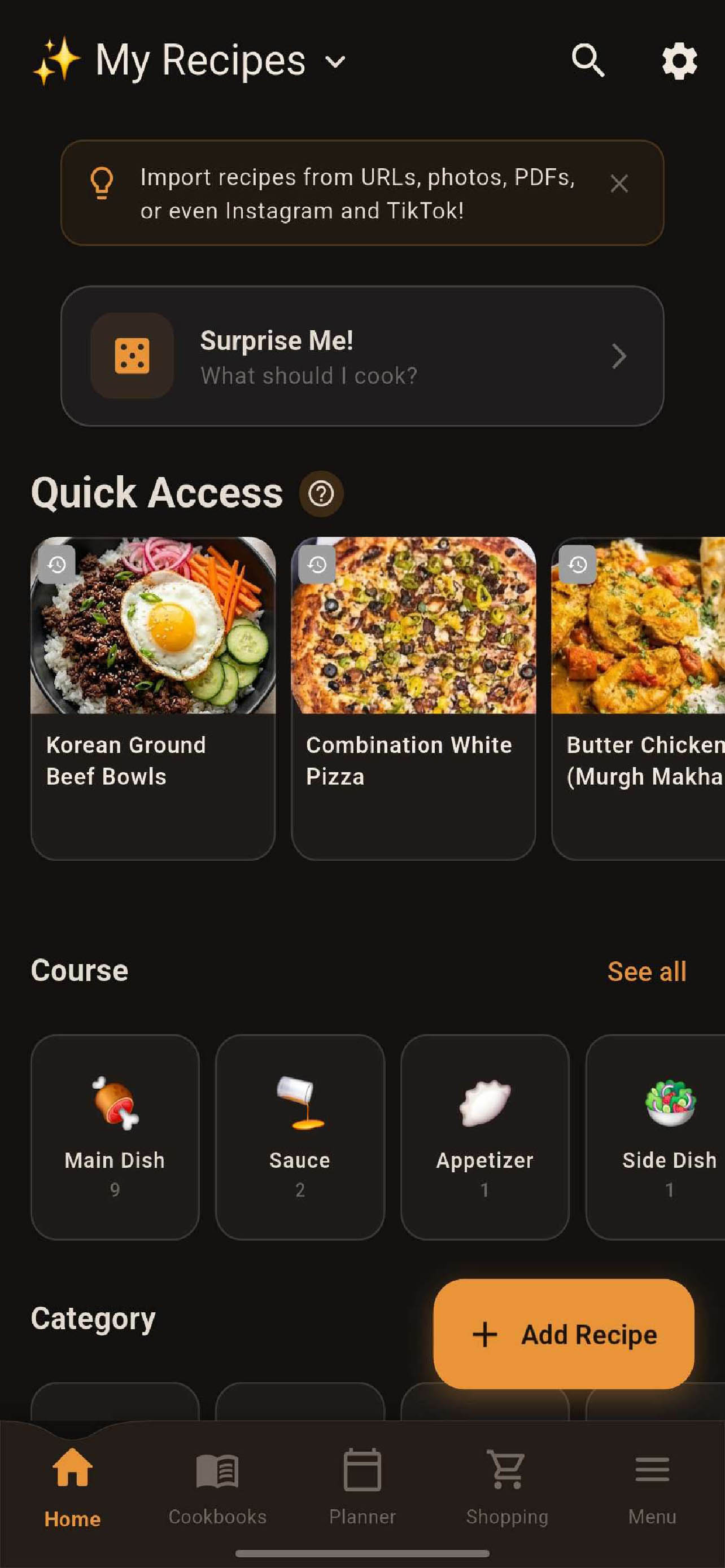
Recipe Management
Import recipes from 50+ websites, Instagram, TikTok, photos, and PDFs. Organize by course, category, or custom tags.
- Import from any URL, photo, or file
- Bulk import from Paprika, Crouton, MealMaster & more
- Custom cookbooks & collections
- Scale ingredients for any serving size
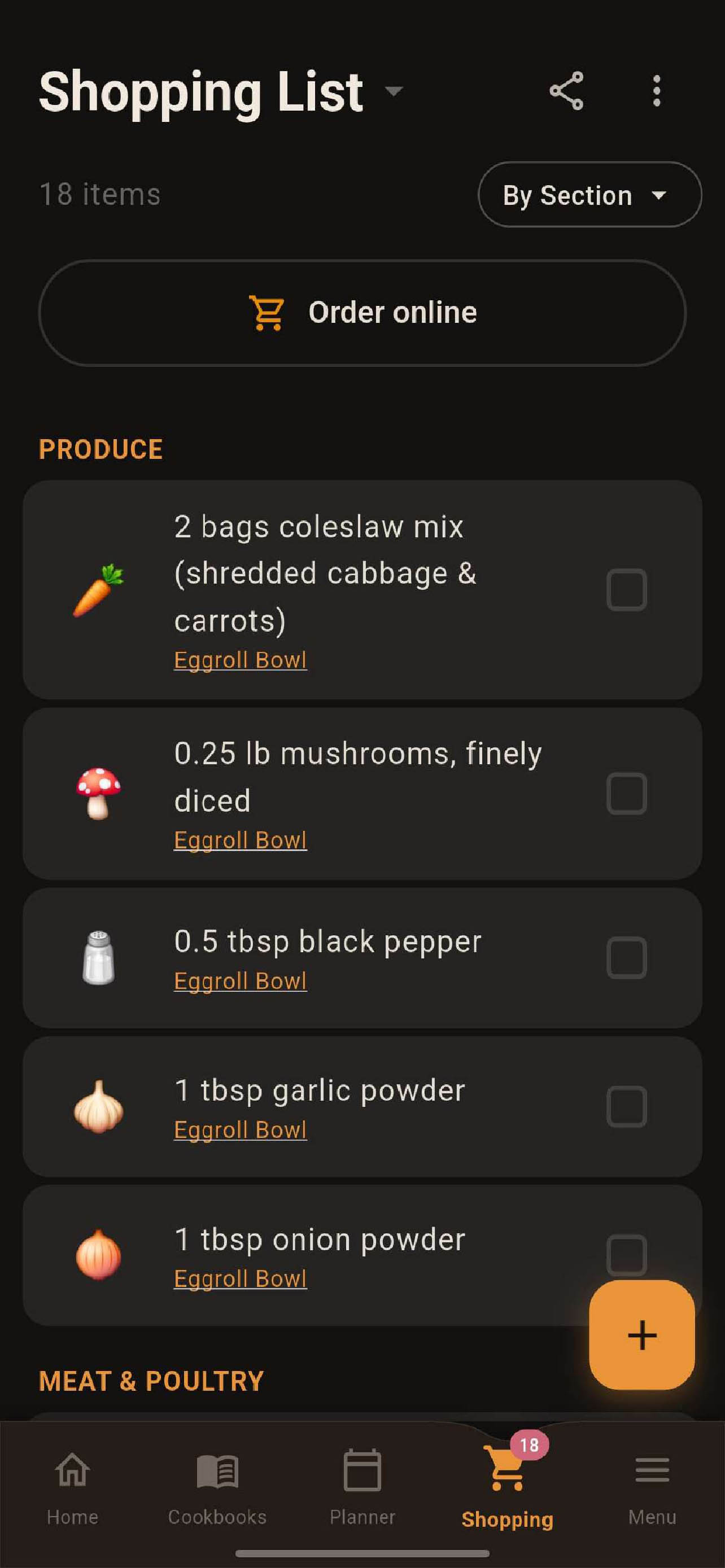
Smart Shopping Lists
Auto-generate grocery lists from your recipes and meal plans. Items are organized by store section so you can shop efficiently.
- Auto-grouped by Produce, Meat, Dairy & more
- Order online with Instacart integration
- Share lists with family
- Check off items as you shop
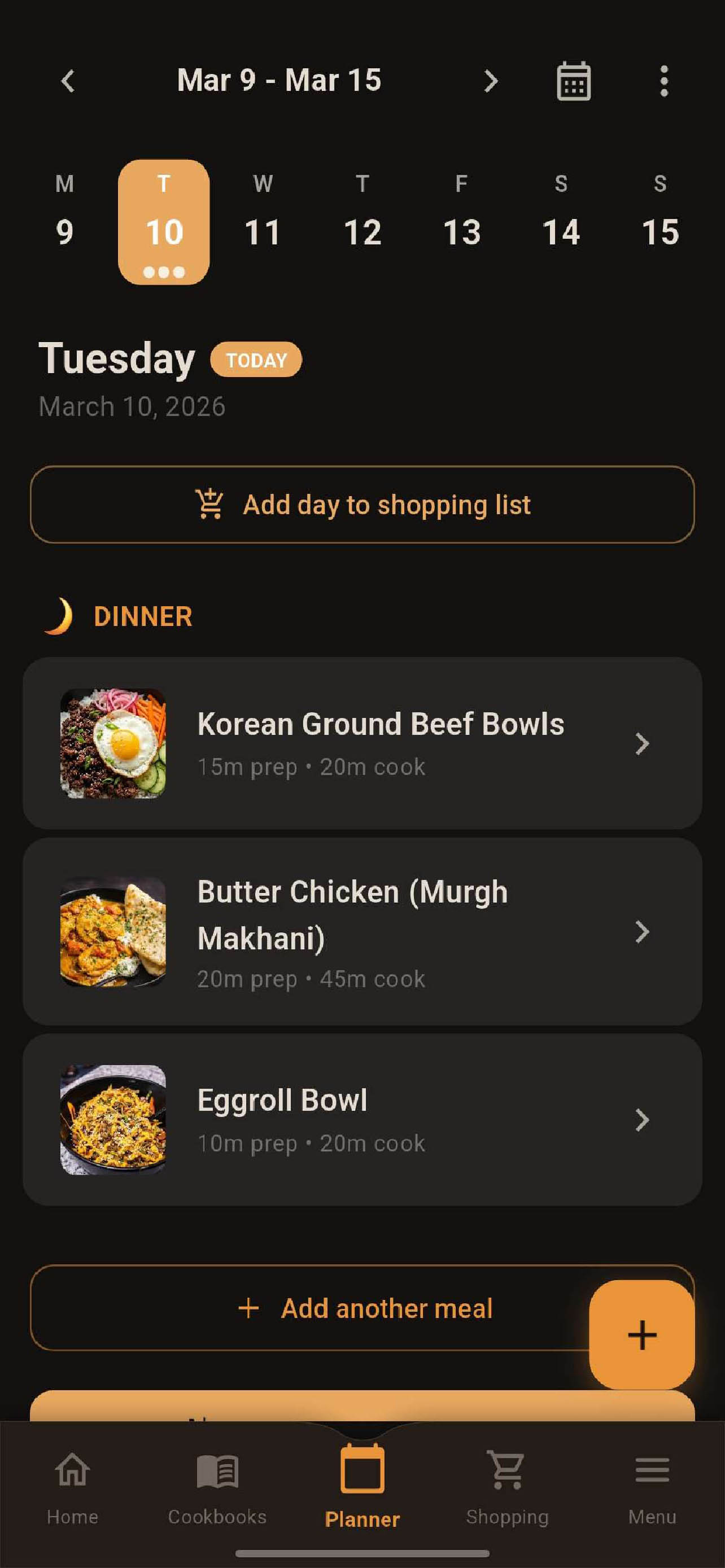
Meal Planning
Plan your entire week at a glance. Add recipes to any day and meal slot, then send all ingredients to your shopping list with one tap.
- Week-at-a-glance calendar view
- Breakfast, lunch, dinner & snack slots
- Send day or week to shopping list
- "Surprise Me" random recipe picker
Cloud Sync
Encrypted sync across every device. Works offline — syncs when you're ready.
Nutrition Tracking
Auto-calculated nutrition from USDA data. Allergen warnings and dietary filters included.
Cook Mode & Timers
Step-by-step cooking with inline timers. Keep screen awake so your phone doesn't lock mid-recipe.
Cross-Platform
iPhone, Android, Windows, Mac, Linux, and Web. Your recipes follow you everywhere.
Pricing
Simple, generous pricing
The full app is free forever. Upgrade only when you need cloud sync.
- ✓ Unlimited recipes
- ✓ Meal planning
- ✓ Shopping lists
- ✓ Recipe import (URL, photo, file)
- ✓ Nutrition tracking
- ✓ Cook mode & timers
- ✓ Device transfer via QR code
- ✓ Everything in Free
- ✓ Cloud sync across devices
- ✓ Basic cloud storage
- ✓ Step photos
- ✓ AI Smart Import (Trial)
- ✓ Everything in Premium
- ✓ Standard cloud storage
- ✓ Family sharing (5 members)
- ✓ Shared lists, cookbooks & meal plan
- ✓ Encrypted backups
- ✓ AI Smart Import (Standard)
FAQ
Frequently asked questions
Is my data private?
Yes. Recipe Spellbook is local-first — all your data stays on your device by default. If you opt into cloud sync, your data is encrypted in transit and at rest. We never sell your data or show ads.
Can I import my existing recipes?
Absolutely. You can import from any URL (50+ supported websites), photos, PDFs, Instagram, TikTok, and plain text. Bulk import is supported from Paprika, Crouton, MealMaster, RecipeKeeper, CookBook, and more.
Does it work offline?
Yes. Everything works offline. Recipes, meal plans, and shopping lists are stored locally on your device. Cloud sync is optional and happens automatically when you're connected.
What platforms are supported?
Recipe Spellbook runs on iOS, Android, Windows, macOS, Linux, and the Web. Your recipes sync across all of them with a Premium or Cloud Sync plan.
Can I share recipes with family?
Yes. With the Cloud Sync plan, you can share cookbooks and shopping lists with up to 5 family members. You can also publish cookbooks to the community for anyone to discover.
Is the free version actually usable?
Very. The free tier includes unlimited recipes, full meal planning, shopping lists, recipe import, nutrition tracking, and cook mode. It's not a trial — it's the full app. Cloud sync and extra storage are the only paid features.
How do I import from other recipe apps?
Go to Settings > Import and export your data from your current app (Paprika, Crouton, etc.). Recipe Spellbook supports .paprikarecipes, .crouton, .zip, .json, .txt, and many other formats.
How does cloud sync work?
Sign in with Google or Apple, and your recipes sync automatically across all your devices. Changes merge intelligently — edit a recipe on your phone, and it's updated on your tablet seconds later.
Ready to cook smarter?
Join thousands of home cooks who use Recipe Spellbook to organize their recipes, plan their meals, and shop more efficiently.